



How to Make Captions Like Hormozi: Quick & Easy Steps
Learn how to create impactful captions like Hormozi with animated effects that catch attention in video ads and short-form content.
Creating captions that grab attention like Hormozi is straightforward with the right tools. You want text that not only conveys your message but also enhances the visual appeal of your videos. This guide will walk you through how to achieve that with animated captions that pop, especially for short-form creators and video ads.
What Are Animated Captions?
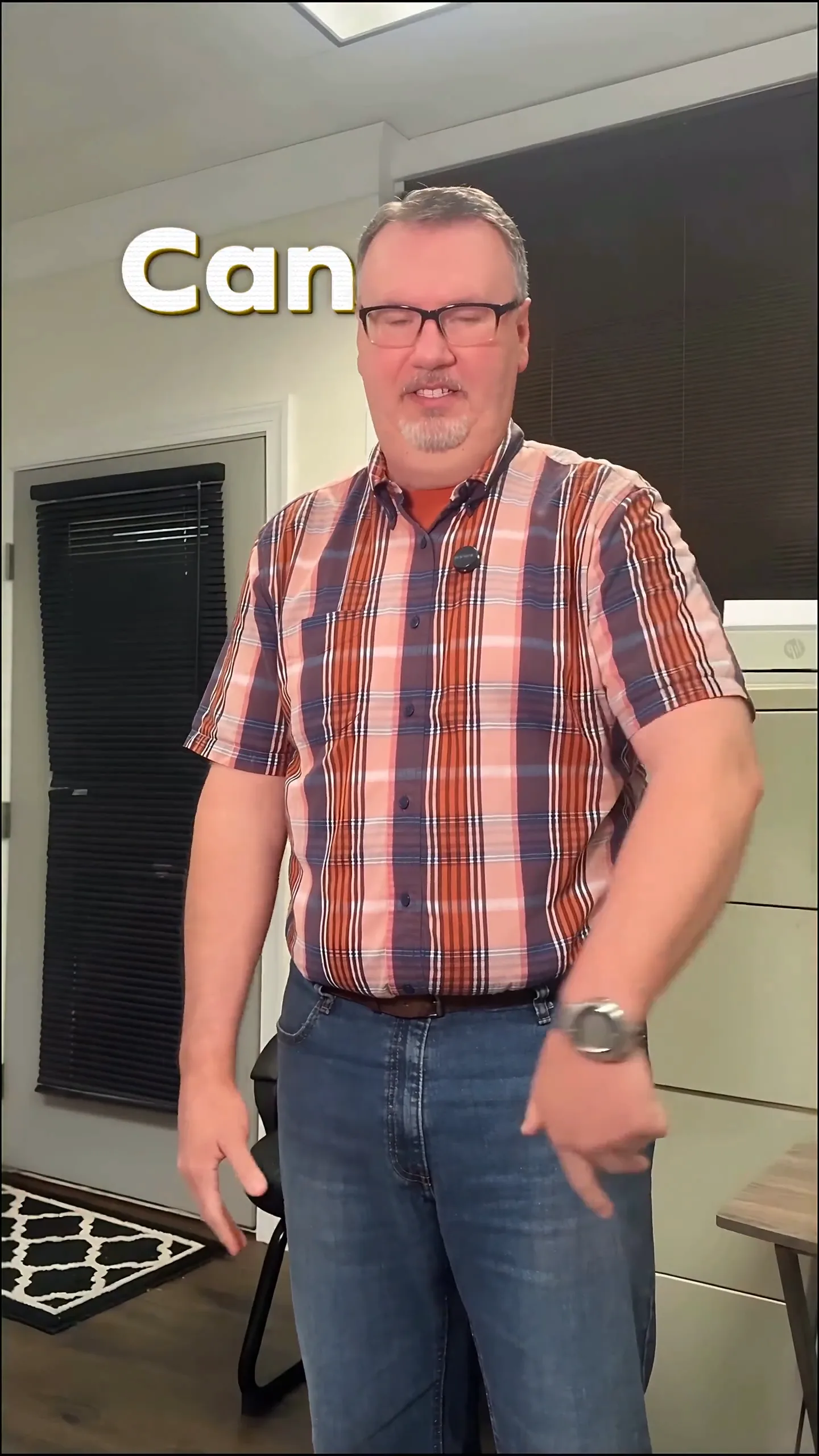
Animated captions are dynamic text overlays that move or change style as the video progresses. Unlike static captions, they can engage viewers more effectively, keeping them glued to your content. Using a tool like Sleepy Motion, you can create captions that appear behind the subject with precision, which is key to making your videos look professional and polished.
How to Create Captions Like Hormozi
Here’s a step-by-step process to make captions that reflect the style of Hormozi:
- Upload Your Video: Start by uploading your video to Sleepy Motion. The platform supports MP4 and MOV formats, with a maximum file size of 150MB.
- Choose Caption Style: Select a preset that matches your desired look. For that engaging, punchy feel, the Viral Insta preset is a great choice. This style places captions behind the subject, allowing for a clean view of your content while maintaining readability.
- Automatic Captions: Once you upload your video, the platform automatically generates captions. This includes syncing the text with your speech in real time. No need for manual adjustments or clip selections. It’s all done for you.
- Add Animations and Effects: Take it a step further by customizing the captions with animations. You can choose from entrance animations to make the captions pop onto the screen, and use sound effects that sync perfectly with the text. This dynamic approach makes your video ads more lively and engages your audience better.
- Review and Export: After everything looks good, you can export your video. If you’re on the Free plan, you can try this with videos up to 15 seconds long. Paid plans allow for longer videos, and captions will be watermarked on the Free plan.
Example for Short-Form Content
Imagine you’ve created a motivational video where you share quick tips on entrepreneurship. By using the Viral Insta preset, your captions will animate in a way that highlights key phrases just like Hormozi does. This visual strategy adds excitement and helps convey your message more powerfully.
Example for Video Ads
For a product promo, you can overlay your captions during product demonstrations. The Composite mode allows the text to play behind the product, creating a visually appealing effect that keeps your audience focused on what’s essential without compromising aesthetic.
Style your captions
Describe the look, then drop in your video on the next step.
Troubleshooting Common Issues
- Video Too Long: If your video exceeds the maximum length for your current plan, consider trimming it down or upgrading to a plan that supports longer videos.
- Captions Not Syncing Correctly: Ensure the video is clear and the audio is of good quality. Sleepy Motion’s engine relies on clear speech to generate accurate captions.
How Animated Captions Compare to Plain Captions
Plain captions are simply static text that appears on top of your video without any flair. They lack dynamism and can fail to capture attention. Animated captions, however, move and evolve, providing a more engaging experience. For instance, with animated captions, words can appear behind the subject, making them feel integrated into the video, rather than just being an afterthought.
Getting Started Today
Ready to create captivating captions like Hormozi? Start with Sleepy Motion. The Free plan offers AI-generated captions for videos up to 15 seconds long, so you can test the waters without any cost. Simply upload your video, select a preset, and watch as your captions come to life.
For creators looking to elevate their videos, using animated captions could be the key to enhancing viewer engagement and retention. With just a few clicks, you can have professional-grade captions that resonate with your audience and align with your content strategy.
FAQs
{ "question": "how to make captions like hormozi?", "answer": "Use animated captions behind the subject with a tool like Sleepy Motion and select presets like Viral Insta for impact." },
{ "question": "can I get free AI captions for my videos?", "answer": "Yes, the Free plan allows up to 15 seconds of AI-generated captions with a watermark." },
{ "question": "what's the best caption style for short videos?", "answer": "The Viral Insta preset is effective for creating punchy, engaging captions in short videos." },
{ "question": "how do I add sound effects to my captions?", "answer": "Sound effects can be automatically added and synced with the movement of your captions in Sleepy Motion." },
{ "question": "can I customize caption animations?", "answer": "Yes, you can choose different entrance animations and effects for your captions on the platform." },
{ "question": "what file formats can I use to upload videos?", "answer": "You can upload videos in MP4 or MOV formats on Sleepy Motion." }
Make it yourself with Sleepy Motion
Describe the look, then drop in your video on the next step.