
How to Make Karaoke Captions for Your Videos
Create engaging karaoke captions for your videos effortlessly. Learn how to add animated captions in just a few steps.
Karaoke captions are the animated lyrics that sync perfectly with the music in your videos, making it easy for viewers to sing along. With the right tools, you can add karaoke captions to your short-form content or video ads in a matter of minutes. This post will guide you through the process of creating eye-catching karaoke captions that enhance your videos and engage your audience.
What Are Karaoke Captions?
Karaoke captions display the lyrics of a song or speech in sync with the audio, often using creative animations and styles. They allow viewers to follow along easily while adding a dynamic visual element to your video. Using animated captions can elevate your content, whether you're posting on TikTok, Instagram Reels, or producing a promotional video.
How to Create Karaoke Captions Easily
To add karaoke captions to your videos, you need a tool that simplifies the process. Sleepy Motion allows you to create karaoke captions effortlessly using either the Classic or Composite mode. Here’s how to do it:
- Upload Your Video: Start by uploading your video file to Sleepy Motion. You can use either an MP4 or MOV file (up to 150MB).
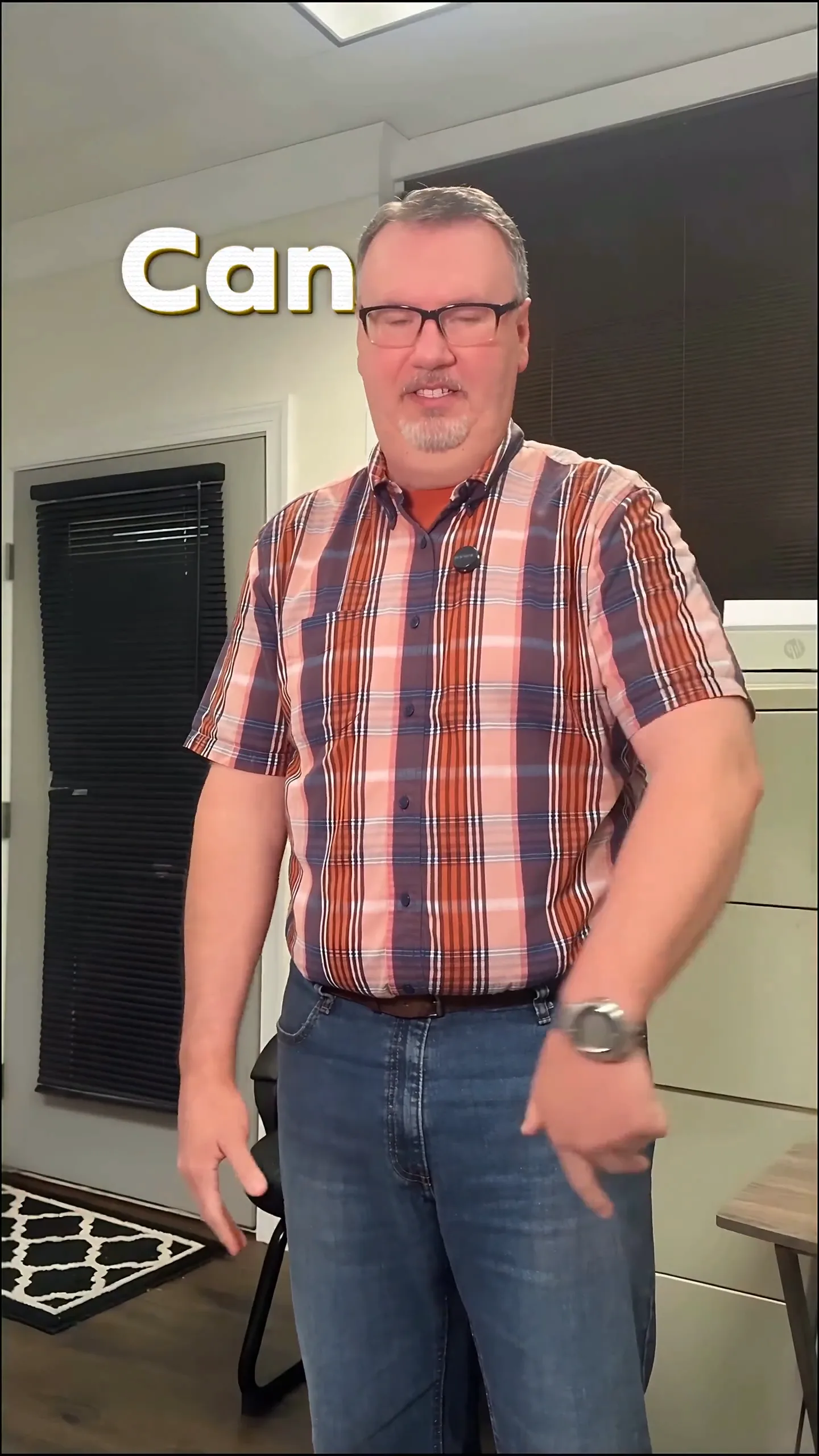
- Select Your Caption Mode: Choose between Classic or Composite. For karaoke captions, Composite is particularly powerful because it places the text behind the subject, allowing for a more engaging look. With Composite, the animated graphics will render behind the subject automatically, making it easier for viewers to focus on the singer or performer.
- Add Your Soundtrack: Make sure your video has the appropriate music or audio track. The captions will sync to the speech or lyrics automatically.
- Customize Your Captions: You can choose from various presets like Viral Insta for a bold look or Minimal for clean, clear captions. Customize the text effects, animations, and sound effects that will accompany the lyrics.
- Download Your Finished Video: Once you're satisfied with your karaoke captions, download the finished video. You’ll have a visually appealing video ready to share with your audience.
Here's an example of karaoke captions in action:
Best Practices for Using Karaoke Captions
- Keep it Simple: Ensure the text is easy to read by using contrasting colors and clear fonts. Avoid overly complicated animations that might distract from the lyrics.
- Sync Carefully: Make sure the captions match the beat and rhythm of the music. Sleepy Motion does this automatically, but it's good to double-check.
- Engage Your Audience: Use captions as a way to invite participation. Encourage your viewers to share their karaoke performances in the comments or on their own accounts.
Style your captions
Describe the look, then drop in your video on the next step.
Examples of Karaoke Captions for Different Use Cases
Short-Form Creators
Imagine you’re a musician sharing a quick cover on TikTok. Using karaoke captions, you can display the lyrics while you sing, making it easier for your viewers to join in. For instance, using the Viral Insta preset, you can create bold, punchy captions that pop on every word, enhancing the overall impact of your performance.
Video Ads
When promoting a new song or music product, you might want to add karaoke captions to your ad. A finished ad featuring animated lyrics can grab attention and increase engagement. Using the Composite mode, your text will appear behind you, allowing the viewer to focus on the product while still following along with the lyrics.
Troubleshooting Common Issues
- Captions Out of Sync: If your captions are not syncing correctly, double-check your audio file and ensure it’s properly uploaded alongside your video. The tool should handle syncing automatically, but underlying audio issues can cause mismatches.
- Text is Hard to Read: If the captions are hard to read, consider adjusting the text color or font size. Use higher contrast colors and make sure your text is large enough to be seen clearly.
- Video Quality Issues: If your final video appears pixelated or lower quality, make sure your original upload meets the format and size specifications. Using a higher resolution source file can improve the final product.
Why Use Animated Karaoke Captions?
Animated karaoke captions not only improve viewer engagement but also make your content stand out in crowded feeds. With the unique ability to place text behind the subject automatically, Sleepy Motion simplifies the process, allowing you to focus on creativity rather than technical editing tasks.
Get Started for Free Today
You can try adding karaoke captions for free on Sleepy Motion with videos up to 15 seconds long. This includes the ability to utilize the Composite mode for that engaging “text behind the subject” effect. Start creating your karaoke captions today to elevate your videos!
For effortless karaoke captions, head over to animated captions and upload your video now!
Frequently Asked Questions
What are karaoke captions?
Karaoke captions display lyrics that sync with the music, making it easy for viewers to sing along.
How can I make karaoke captions for free?
You can create karaoke captions for free with Sleepy Motion on videos up to 15 seconds long.
Can I add karaoke captions to my ads?
Yes, adding animated karaoke captions to your video ads can enhance viewer engagement.
What is the Composite mode for captions?
Composite mode renders animated text behind the subject, creating a dynamic visual effect.
How do I customize my karaoke captions?
You can choose from presets, adjust colors, and add sound effects to customize your karaoke captions.
Is there a time limit for the videos I can upload?
The free plan allows uploads of videos up to 15 seconds long; paid plans offer longer durations.
Make it yourself with Sleepy Motion
Describe the look, then drop in your video on the next step.