



The Best TikTok Caption Style for Your Videos
Discover how to create eye-catching TikTok captions that engage viewers and boost your videos today.
When it comes to TikTok caption styles, the focus is on engaging, dynamic text that captures attention. The best TikTok captions are often animated and placed behind the subject, giving that professional edge we see in viral videos. With Sleepy Motion, you can achieve this look effortlessly by uploading your video and letting our technology handle all the intricate details.
What Is the Best TikTok Caption Style?
The ideal TikTok caption style blends visibility with creativity. Think about bold typography that moves in sync with your speech, making it easier for viewers to follow along. Using text behind the subject is especially effective; it ensures that the caption remains clear and unobstructed, even when the subject moves around. With Sleepy Motion's Composite mode, your animated captions sit behind the speaker, allowing their expressions and actions to stand out.
How to Create Captivating TikTok Captions
- Upload Your Video: Start by uploading your video to Sleepy Motion. Whether it’s a fun dance, a quick tip, or a promotional clip, the platform accepts MP4 or MOV formats.
- Choose Your Caption Style: Select a preset that fits your video’s vibe. For TikTok, styles like Viral Insta or Paper Fluo are popular for their eye-catching designs.
- Let the AI Work: After you upload, the AI does all the heavy lifting. It automatically masks the subject, places captions behind them, and ensures they’re timed perfectly to your speech.
- Add Sound Effects: Don’t forget to enable the sound effects option. The right sounds can elevate your captions, making them feel even more alive.
- Review and Download: Once the video is rendered, preview it to ensure everything looks good, then download it to share on TikTok!
Here’s an example of how this looks in action:
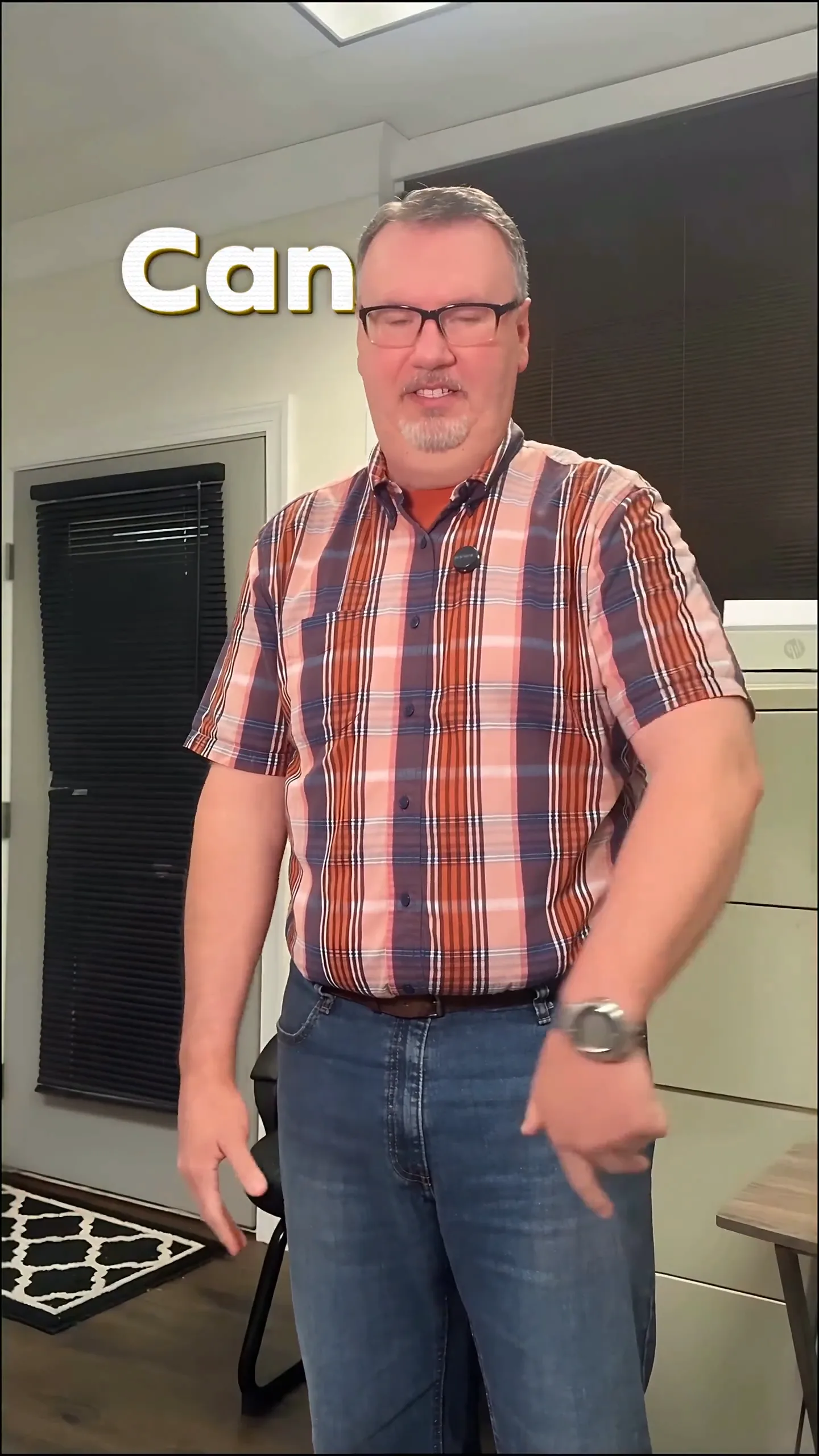
This video showcases dynamic captions that pop behind the speaker as they talk, complemented by sound effects that emphasize key moments.
Examples for Short-Form Creators and Video Ads
- Short-Form Creators: If you're sharing quick, engaging tips, consider using the Viral Insta preset. This style captures attention with punchy, colorful animations that make your message pop. Imagine a video where you share three quick beauty hacks, all highlighted with vibrant captions that match your energetic delivery.
- Video Ads: For promotional videos, opt for classic captions with a professional touch. Using Ruby Gilt or Minimal styles can give your brand a polished appearance. Picture an ad for a new fitness app, where the key features are highlighted in elegant, animated captions that draw viewers’ eyes without distracting from the message.
Style your captions
Describe the look, then drop in your video on the next step.
Why Choose Animated Captions?
Animated captions not only enhance engagement but also improve accessibility. Viewers watching without sound can still follow along with the content, increasing the likelihood of shares and interactions. Statistics show that captions can significantly boost views across platforms, including TikTok.
TikTok Caption Style Tips
- Keep It Short: Remember that attention spans on TikTok are brief. Your captions should be concise and impactful.
- Use Color Wisely: Bright colors can attract attention, but ensure they align with your brand’s identity.
- Test Different Styles: Don’t hesitate to experiment with different caption presets. What works for one video might not work for another.
Troubleshooting Common Issues
- Caption Visibility: If your captions are hard to read against the video’s background, try adjusting the opacity or color. Sleepy Motion allows you to customize these in your settings.
- Timing Issues: If captions don’t sync well with your speech, double-check your upload. The AI reads the entire video to time captions accurately, but ensure your audio is clear and distinct.
By following these practical steps, you can create stunning TikTok captions that elevate your content today! Don’t forget, you can try it all for free with videos up to 15 seconds long. Start by exploring how to add captions to your video and see the difference it makes.
FAQs
{
"question": "What is a TikTok caption style?",
"answer": "A TikTok caption style typically features bold, animated text that enhances viewer engagement and readability, often placed behind the subject in videos."
},
{
"question": "How do I make captions for TikTok?",
"answer": "You can make captions for TikTok by uploading your video to a platform like Sleepy Motion, which automatically adds animated captions behind your subject."
},
{
"question": "Can I use animated captions for video ads?",
"answer": "Yes, animated captions are perfect for video ads as they make your message more engaging and visually appealing."
},
{
"question": "Do captions increase views on TikTok?",
"answer": "Yes, using captions can significantly increase views as they improve accessibility and keep viewers engaged, especially those watching without sound."
},
{
"question": "What styles work best for TikTok captions?",
"answer": "Popular styles include bold, colorful animations like Viral Insta and Paper Fluo, which capture attention quickly and effectively."
},
{
"question": "How can I try captions for free?",
"answer": "You can try captions for free on Sleepy Motion with videos up to 15 seconds long, allowing you to explore the features without any cost."
}
Make it yourself with Sleepy Motion
Describe the look, then drop in your video on the next step.