
How to Create an Animated Quote Video in Minutes
Make an animated quote video quickly and easily, perfect for sharing on social media.
Creating an animated quote video is straightforward and can be done in just a few minutes. Whether you want to inspire your audience on social media, share motivational messages, or simply add flair to your content, this guide will help you achieve that without the need for complex software.
What Is an Animated Quote Video?
An animated quote video combines text with engaging visuals, making the words come to life through movement and effects. These videos often feature inspirational quotes, making them perfect for platforms like Instagram or TikTok. The key is to keep it visually appealing while ensuring the message resonates.
Why Use Animated Quote Videos?
Animated quote videos can significantly enhance your engagement. They capture attention, are easily shareable, and can convey powerful messages quickly. Visual storytelling is effective, and adding animation to quotes takes your message to the next level, attracting more viewers.
How Can I Make One Easily?
To create an animated quote video, you can use the animated text video maker. With just a few simple steps, you can have a polished video ready for sharing. Here’s how:
- Choose Your Quote: Start with a quote that resonates with you or your audience. Keep it concise and impactful.
- Access Sleepy Motion: Head over to Sleepy Motion, where you can create your video without the hassle of complex software. You can do it directly in your browser—no downloads needed.
- Input Your Quote: Type your quote into the prompt box. You can specify any themes or styles you want, or just let Sleepy take care of the design.
- Select Visual Styles: Choose from a variety of presets to match your quote’s vibe. For example, the Pastel Glow preset offers a soft, dreamy look, while Liquid Fire gives a bolder, more intense feel. Just one tap sets the whole look.
- Add Audio: If desired, add a voiceover or background music. Sleepy allows you to upload your own clips or use its built-in audio options.
- Preview and Adjust: Once generated, preview the video. If you need any changes, you can refine the text or visuals before finalizing.
- Download and Share: After you’re satisfied, download the video. Now it’s ready to share on social media platforms like Instagram, TikTok, or anywhere else you want to inspire your audience.
Make this video now
Write your own, or start from the example. Ready in about 2 minutes.
Examples of Animated Quote Videos
To visualize what this looks like, here are a few examples of how an animated quote video can appear:
- A motivational video featuring a quote about perseverance, with words seamlessly integrated into a scenic background, capturing the essence of the quote.
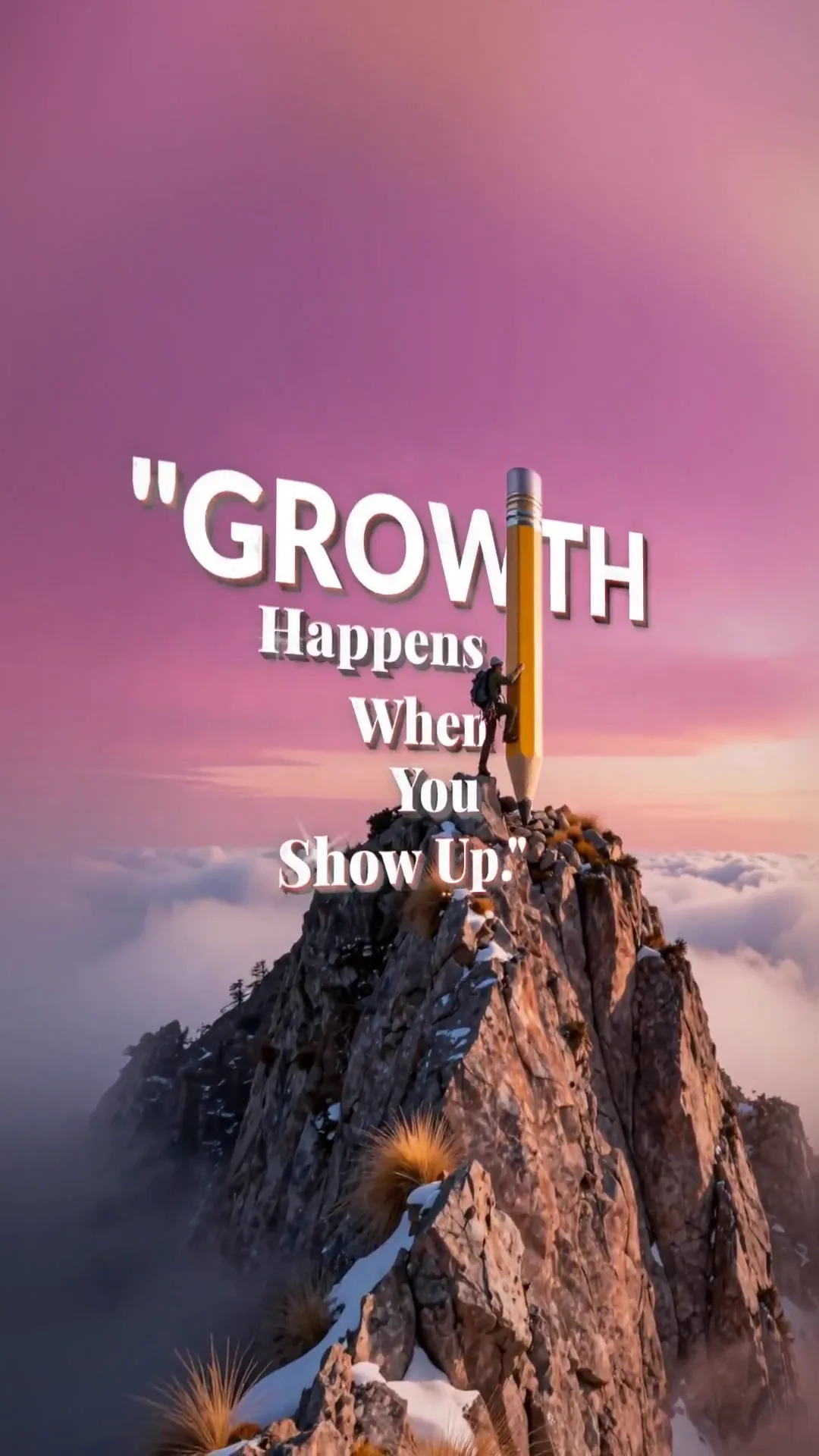
- An inspiring quote video set to uplifting music, featuring dynamic text animations that keep viewers engaged throughout.
Tips for Success
- Keep It Simple: Focus on one quote per video to avoid overwhelming the viewer.
- Match the Theme: Ensure that the visuals align with the message of your quote. For example, a quote about nature should have a fitting background.
- Engage Your Audience: Encourage viewers to share or comment on your videos; this enhances interaction and extends reach.
Creating an animated quote video is not only quick but also a fulfilling way to share your thoughts and connect with your audience. Dive into Sleepy Motion today and start making videos that inspire.
Embrace the power of animated quotes; it’s more than just text on a screen—it's a way to communicate visually and emotionally. Visit the animated text video maker to get started.
Frequently Asked Questions
How do I make an animated quote video?
You can use online tools like Sleepy Motion to create an animated quote video in just a few minutes.
What is the best platform for creating quote videos?
Sleepy Motion offers an easy-to-use platform for creating animated quote videos quickly.
Can I add my own music to the animated quote video?
Yes, you can upload your own music or choose from built-in audio options when creating your video.
What formats can I use for my animated quote video?
You can create vertical videos for platforms like TikTok or Instagram, and horizontal formats for YouTube and presentations.
Make it yourself with Sleepy Motion
Write your own, or start from the example. Ready in about 2 minutes.